
Turn a screenshot into editable text
- Take a screenshot to the clipboard, or open an image and copy the image itself.
- Paste on this page with Ctrl + V or ⌘ + V. You can also choose Paste from clipboard.
- Wait for recognition, then compare the Markdown with the image. Check numbers, table columns, and math symbols.
- Edit the result and copy the Markdown source, or choose Copy formatted text.
Try a real image
Choose Recognize a sample screenshot above to send this sample image for recognition. It uses the same recognition process as a pasted screenshot. Results can vary.
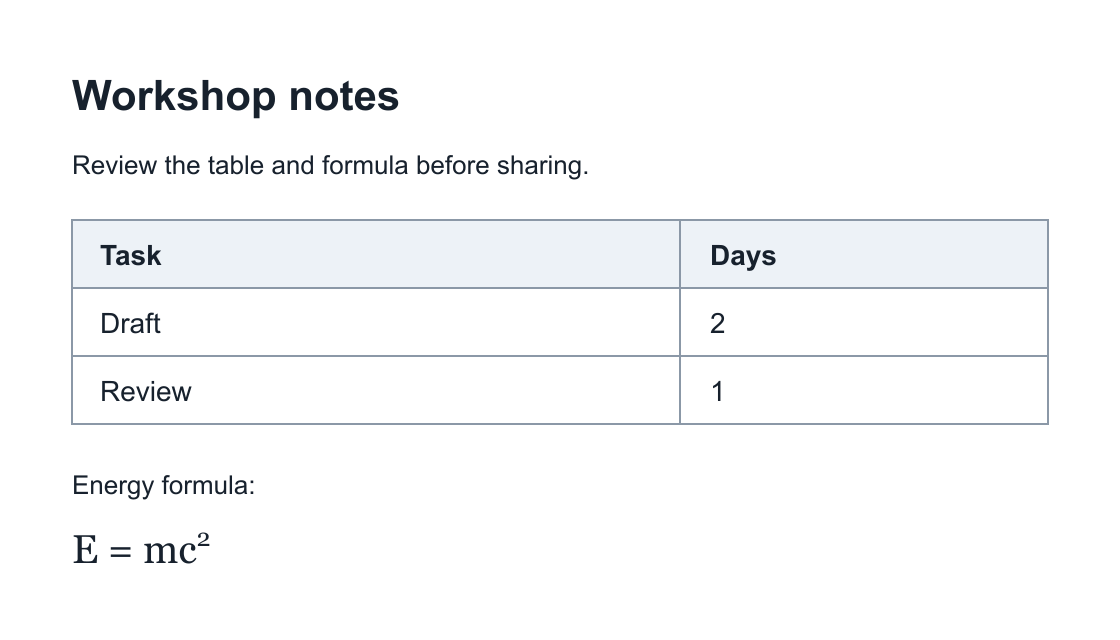
The image contains a heading, a short paragraph, a two-column table, and a formula. After recognition, check that Draft has 2 days, Review has 1 day, and the formula keeps its exponent. Formatting and heading levels may differ.
What can recognition extract?
Recognition can extract printed text, tables, and mathematical expressions. Edit recognized formulas as LaTeX and check them in Preview. Blurred text, small characters, complex table layouts, and unusual notation can produce errors or omissions.
A screenshot has pixels, not the original document structure. Link destinations, exact fonts, and original layout may be lost. A diagram screenshot does not become editable Mermaid source.
Image limits and processing
Clipboard images must be no larger than 10 MB. Images are uploaded through our server to the recognition provider. This process requires a network connection and is subject to the provider's availability and quotas.
Copy the image content, not an image file from your file manager. File uploads and file drops are not supported. If the clipboard also contains rich text, the converter may use that text instead of recognizing the image.
If recognition fails
- Use a clear image with readable text. Crop unrelated content and keep complete table rows and columns.
- For an image over 10 MB, capture a smaller region or use several screenshots.
- If clipboard access is blocked, use the keyboard paste shortcut.
- If the service is unavailable or a quota is reached, try again later. Keep the original image so you can compare the result.
If you can select the original content, try Excel to Markdown for cells or HTML to Markdown for web content. See How it works for copy formats and data handling.